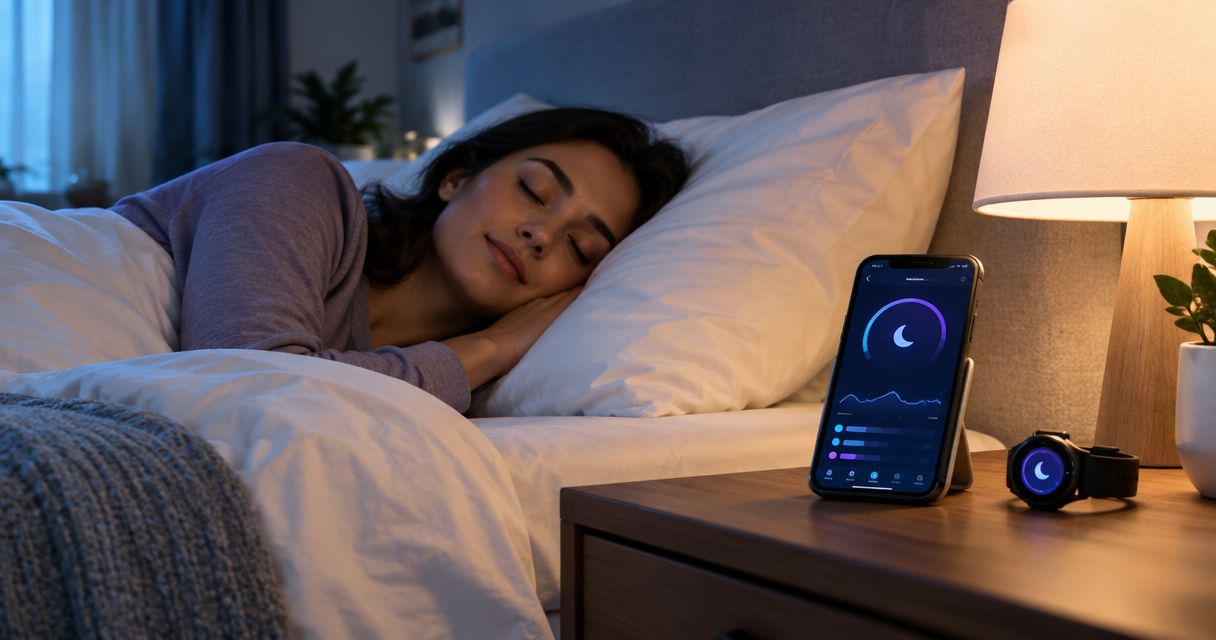
Best overall for existing Apple Watch users: Apple Health. Best for phone-based tracking: Sleep Cycle. Best for Android customization: Sleep as Android. This 2026 guide compares the best sleep tracking apps for adults, including Fitbit and Oura for readers who want wearable-based trends rather than another bedtime dashboard.
- Among the best sleep tracking apps for adults, Apple Health is the default for existing Apple Watch users.
- Sleep Cycle suits phone-based tracking; Sleep as Android suits adults who want more Android-specific controls.
- Fitbit and Oura suit wearable-based tracking, but their sleep-stage estimates are not clinical measurements.
- Restweft provides personal online sleep coaching, not a sleep tracking app, for adults building practical evening routines.
Why this matters
A sleep app records information; it does not automatically improve your sleep. Your choice should depend on whether you need a bedtime reminder, a record of irregular nights, or help turning observations into a routine.
Restweft sleep coaching is best for U.S. adults who want personal help building evening routines and tracking sleep patterns. Restweft belongs alongside this comparison as a coaching service, not as an app competing with Apple Health or Sleep Cycle.
Consumer trackers estimate sleep from signals such as movement, sound, and heart rate, depending on the device. They do not directly measure everything a clinical sleep study measures. Treat a dashboard as a record to interpret, not a diagnosis.
What makes the best sleep tracking apps for adults?
Use these criteria before choosing an app in 2026:
- Device fit: Choose around the phone or wearable you already use. A compelling dashboard is irrelevant if collecting its data disrupts your night.
- Collection method: Separate phone-based estimates, wearable measurements, and manually entered notes. They answer different questions.
- Useful trends: Prioritize bedtime, wake time, estimated duration, and consistency over a single headline score.
- Actionable routines: Look for a workflow that helps you connect patterns with choices you can actually change.
- Privacy controls: Review permissions, account requirements, deletion options, and the handling of microphone or health data.
- Low mental load: Favor an app you can check briefly without turning sleep into a daily performance test.
No app wins every criterion. The strongest choice is usually the one that answers your question with the fewest extra steps.
Best sleep tracking apps at a glance
| Rank and app | Best for | Standout feature | Key limitation |
|---|---|---|---|
| 1. Apple Health | Adults already using Apple Watch | Sleep records alongside other health information | Automatic tracking depends on a compatible device and setup |
| 2. Sleep Cycle | Adults seeking phone-based tracking | Sleep tracking paired with a smart alarm | Phone placement and the bedroom environment affect collection |
| 3. Sleep as Android | Android users who want customization | Configurable tracking and alarm tools | More settings demand more attention |
| 4. Fitbit | Adults already wearing a Fitbit device | Sleep trends alongside activity information | Depends on compatible hardware and overnight wear |
| 5. Oura | Adults who prefer a ring to a watch | Ring-based sleep and recovery trends | Requires ring hardware and consistent wear |
The order reflects those use cases, not a claim that one app measures sleep more accurately than every other app. Keep your existing setup unless a specific limitation prevents you from answering your sleep question.
1. Apple Health: best sleep tracking app for Apple Watch users
Apple Health brings sleep records into the same app as other health information on an iPhone. With a compatible Apple Watch and the appropriate setup, you can review estimated sleep duration and sleep-stage information.
For an adult already wearing an Apple Watch, Apple Health is the most straightforward starting point in this 2026 comparison. Start with the system you have before adding another dashboard.
Apple Health pros:
- Keeps sleep records alongside other health information.
- Supports reviewing sleep schedules and trends.
- Avoids introducing a separate tracking device for existing Apple Watch users.
Apple Health cons:
- Automatic overnight measurements depend on compatible hardware and setup.
- Wearing and charging a watch creates a practical routine to manage.
- Sleep charts do not explain every cause of tiredness.
Best for: iPhone users who already wear an Apple Watch and want a central sleep record.
Look first at your bedtime and wake-time pattern. Detailed stages deserve less attention when your main problem is an inconsistent schedule.
Verdict: Buy into Apple Health as your default if you already use Apple Watch; skip it as a reason alone to change ecosystems.
2. Sleep Cycle: best sleep tracking app for phone-based tracking
Sleep Cycle combines sleep tracking with a smart alarm designed to wake you within a selected window. It offers a phone-based starting point for adults who do not want to wear a watch or ring overnight.
Its main attraction is the collection method. You can explore tracking without making overnight wearable use part of your routine, but you still need to follow the app's placement and setup instructions.
Sleep Cycle pros:
- Offers phone-based sleep tracking.
- Combines overnight tracking with an alarm workflow.
- Suits readers who dislike sleeping with wearable hardware.
Sleep Cycle cons:
- Bedroom sounds and phone placement complicate interpretation.
- A shared bed or nearby noise makes attribution harder.
- A smart alarm does not guarantee that you will wake feeling refreshed.
Best for: Adults who want phone-based estimates and an alarm in the same app.
If your partner, pet, or room noise contributes to the recording, avoid assuming every detected event belongs to you. The useful question is whether the record helps identify a repeatable pattern.
Verdict: Buy into Sleep Cycle for phone-based tracking; skip it if you need clinical certainty about nighttime events.
3. Sleep as Android: best sleep tracking app for customization
Sleep as Android combines sleep tracking with configurable alarm and bedtime tools on Android. It suits adults who want control over how their tracking and wake-up workflow operates.
Customization is the reason to choose it, not proof of better sleep measurement. Check current compatibility before assuming that a particular phone, wearable, or integration will work with your setup.
Sleep as Android pros:
- Provides configurable alarms and tracking settings.
- Fits Android users who prefer adjusting their own workflow.
- Offers bedtime and wake-up tools within the same app.
Sleep as Android cons:
- More settings create more setup decisions.
- Compatibility needs checking for your particular devices.
- Frequent adjustments make night-to-night comparisons harder to interpret.
Best for: Android users who value configurable tracking and alarm behavior over minimal setup.
Choose a configuration, then leave it stable while you observe your routine. Changing both the app settings and your bedtime habits makes it harder to understand what changed.
Verdict: Buy into Sleep as Android for customization; skip it if you want the fewest possible settings.
4. Fitbit: best sleep tracking app for existing Fitbit users
The Fitbit app presents sleep information collected by compatible Fitbit devices alongside activity information. That makes it a practical choice for adults already using a Fitbit rather than starting a separate tracking system.
The benefit is continuity: the same wearable supports daytime and overnight records. The limitation is equally clear—you need to wear it consistently enough to build a useful history.
Fitbit pros:
- Places sleep and activity information in one app.
- Supports reviewing patterns across multiple nights.
- Fits an existing Fitbit-wearing routine.
Fitbit cons:
- Sleep features depend on the particular compatible device.
- Charging and missed overnight wear interrupt the record.
- Scores and stage estimates do not establish a medical diagnosis.
Best for: Adults who already wear a Fitbit and want to connect sleep patterns with their everyday routine.
Use the record to ask specific questions: Does your wake time drift on weekends? Do late evenings coincide with shorter nights? Those observations are more actionable than debating a small score change.
Verdict: Buy into Fitbit if the device already fits your life; hold off on switching solely for a different sleep score.
5. Oura: best sleep tracking app for ring-based tracking
Oura uses a ring and companion app to present sleep and recovery-related information. It suits adults who prefer wearing a ring overnight rather than a wrist device.
The form factor is the deciding feature here. A ring is not automatically comfortable for everyone, and consistent wear still matters more than the appearance of a detailed dashboard.
Oura pros:
- Offers ring-based tracking instead of a watch.
- Presents sleep information across multiple nights.
- Brings sleep and recovery-related trends into the same app.
Oura cons:
- Requires separate ring hardware.
- Fit and overnight comfort are personal considerations.
- Recovery scores do not determine whether you should ignore symptoms or seek care.
Best for: Adults who specifically prefer a ring-based sleep tracker.
Choose Oura because the wearing format suits you, not because an additional score promises to explain every difficult morning. A consistent record is useful; a dashboard cannot account for every influence on how you feel.
Verdict: Buy into Oura for the ring format; skip it if overnight jewelry feels intrusive.
How we ranked these sleep tracking apps
This 2026 ranking prioritizes device fit, collection method, useful trends, routine support, privacy checks, and mental load. It is a feature-and-use-case comparison, not a controlled accuracy test.
Apple Health leads for existing Apple Watch users because it fits their current setup. Sleep Cycle serves phone-based tracking, Sleep as Android serves customization, Fitbit serves existing Fitbit users, and Oura serves ring wearers. These are distinct choices, not interchangeable promises of better sleep.
Before committing, check each app's current device requirements and feature descriptions. App features change; the decision criteria remain useful.
Turn tracking into a practical evening routine
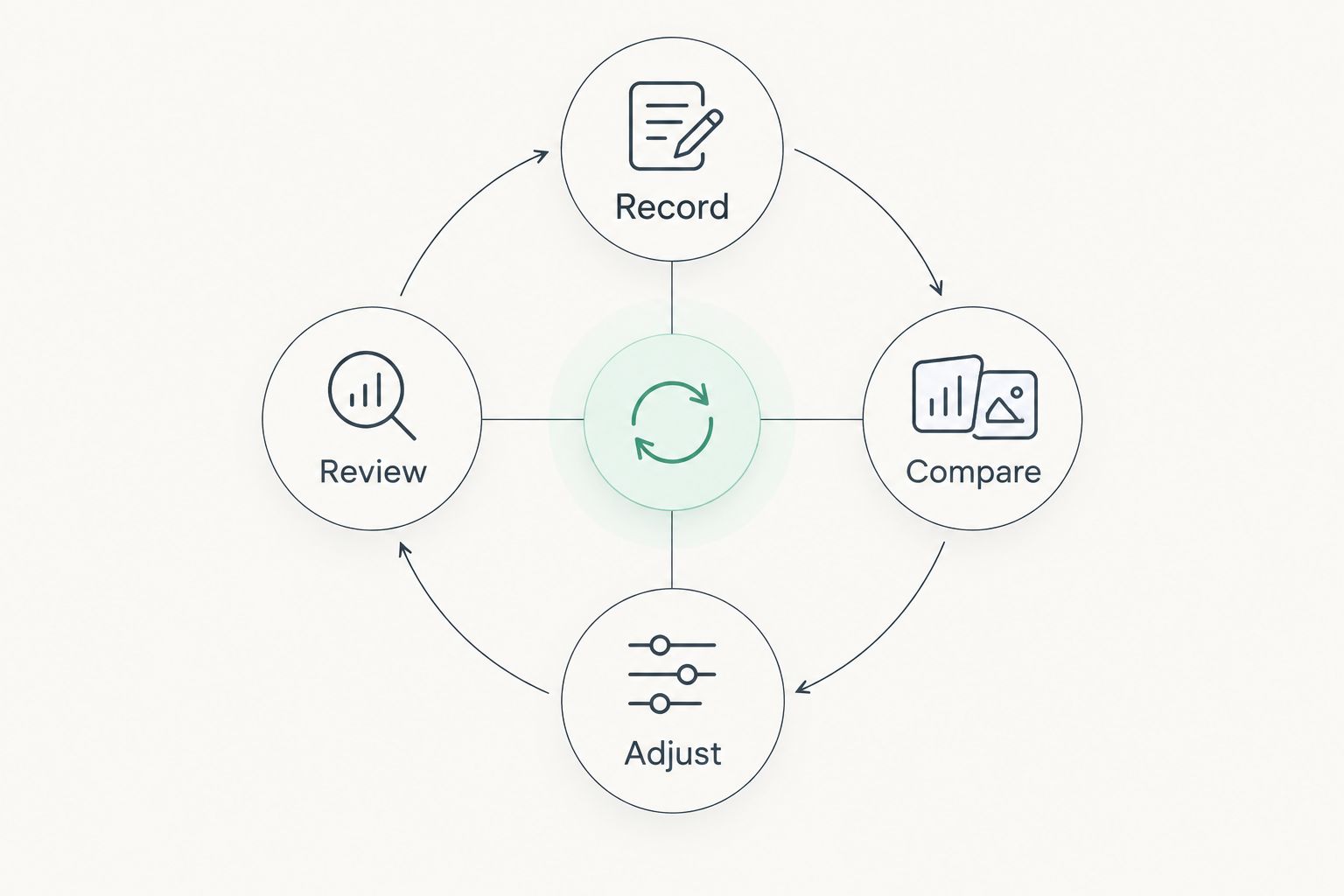
For a simple 2026 starting plan, keep a record for 14 nights. This is an observation exercise, not a diagnostic threshold or a promise of improvement.
Use the same collection method throughout. Spend 2 minutes each morning reviewing the record rather than checking it repeatedly during the day.
- Record: Note bedtime, wake time, and how rested you feel.
- Compare: Look across nights rather than reacting to one score.
- Adjust: Choose one practical evening habit to change.
- Review: Check whether the routine is manageable and what the record shows.
Your note about feeling rested matters even when the app reports a good night. If tracking increases worry or leads you to spend more time trying to force sleep, simplify the process or pause it.
Restweft sleep coaching addresses the routine-building side of this process through personal online support for U.S. adults. It is a different choice from adding another tracker.
Build a practical evening routine
Explore personal online sleep coaching for U.S. adults who want help with routines and sleep patterns.
Which sleep tracking app should you choose?
Choose the app that fits the device you already use and the question you need answered. For existing Apple Watch users, Apple Health is the default. Choose Sleep Cycle for phone-based tracking, Sleep as Android for customization, Fitbit for an existing Fitbit routine, or Oura for the ring format.
If your real problem is following an evening routine, more measurements are not the same as more support. Restweft is the coaching option in this guide, not an additional app recommendation.
Keep healthcare separate from app selection. Persistent trouble sleeping, repeated gasping during sleep, or daytime sleepiness that affects safety warrants medical attention rather than another tracker comparison.
FAQ
What's the best sleep tracking app for adults in 2026?
Apple Health is the default recommendation for adults who already use a compatible Apple Watch. Sleep Cycle is the phone-based alternative in this guide, while Sleep as Android suits Android users who want customization.
Can I track sleep without wearing a watch?
Yes, phone-based apps such as Sleep Cycle offer sleep tracking without a watch. Follow the app's setup instructions and remember that room noise and phone placement affect the information collected.
Is a sleep tracking app accurate enough to diagnose sleep apnea?
A general sleep tracking app is not a substitute for a clinical sleep apnea evaluation. Consult a healthcare professional about symptoms such as repeated gasping, witnessed breathing pauses, or significant daytime sleepiness.
Is Oura better than Fitbit for sleep tracking?
Oura is the better fit if you prefer wearing a ring, while Fitbit is the simpler choice if you already use a compatible Fitbit device. This comparison does not establish that either system is universally more accurate.
Should I trust my app's deep sleep number?
Treat the deep sleep number as an estimate rather than an exact measurement. Consider patterns across nights alongside your sleep schedule, symptoms, and how you feel during the day.
How long should I track sleep before changing my routine?
This guide suggests 14 nights as a practical observation exercise, not a medical requirement. Keep the tracking method consistent and avoid postponing medical advice while waiting to complete a record.
Can sleep coaching replace a sleep tracking app?
Sleep coaching serves a different purpose from an app: it supports routine-building rather than simply collecting measurements. Restweft offers personal online sleep coaching for U.S. adults building evening routines and tracking sleep patterns.
One last thing
Before opening your sleep app tomorrow, write down how rested you feel. Then look at the dashboard. This keeps the score from becoming your first and only description of the night—and gives you a useful note when the numbers and your experience disagree.